Write it by hand
Children write each digit directly on the screen with a finger or stylus — with a free scratch area for carrying and borrowing — instead of tapping a multiple-choice answer.
 Educational App · iOS & Android
MathPen gives children a structured way to practise mathematics using handwriting, clear exercises, and focused learning sessions—without turning every lesson into a game.
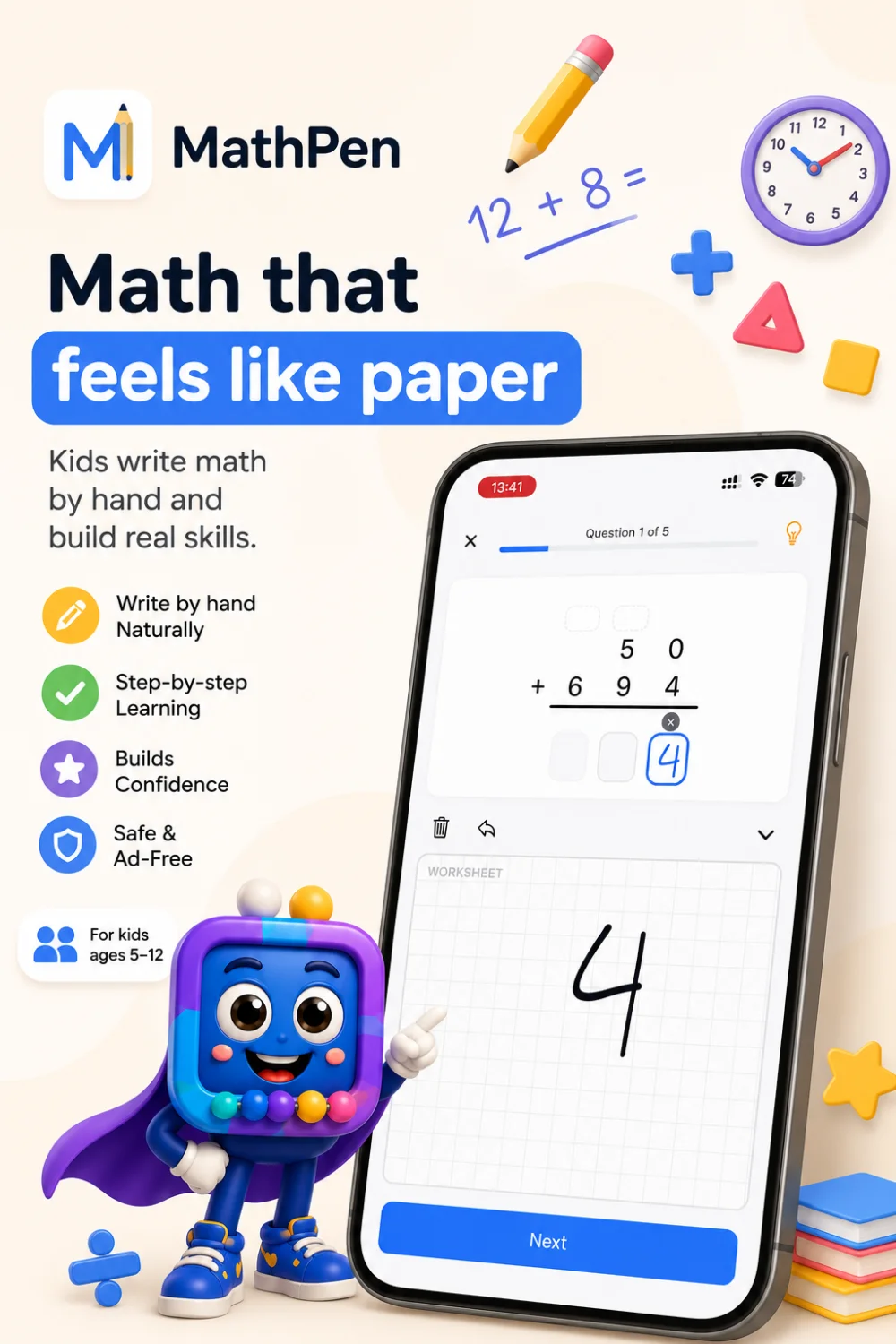
Product overview
MathPen is a mobile math app where children solve problems by writing the answer by hand — working through carrying, borrowing, and long division the way they would on paper. Answers are marked as they're written, mistakes can be fixed, and the whole experience stays calm and ad-free.
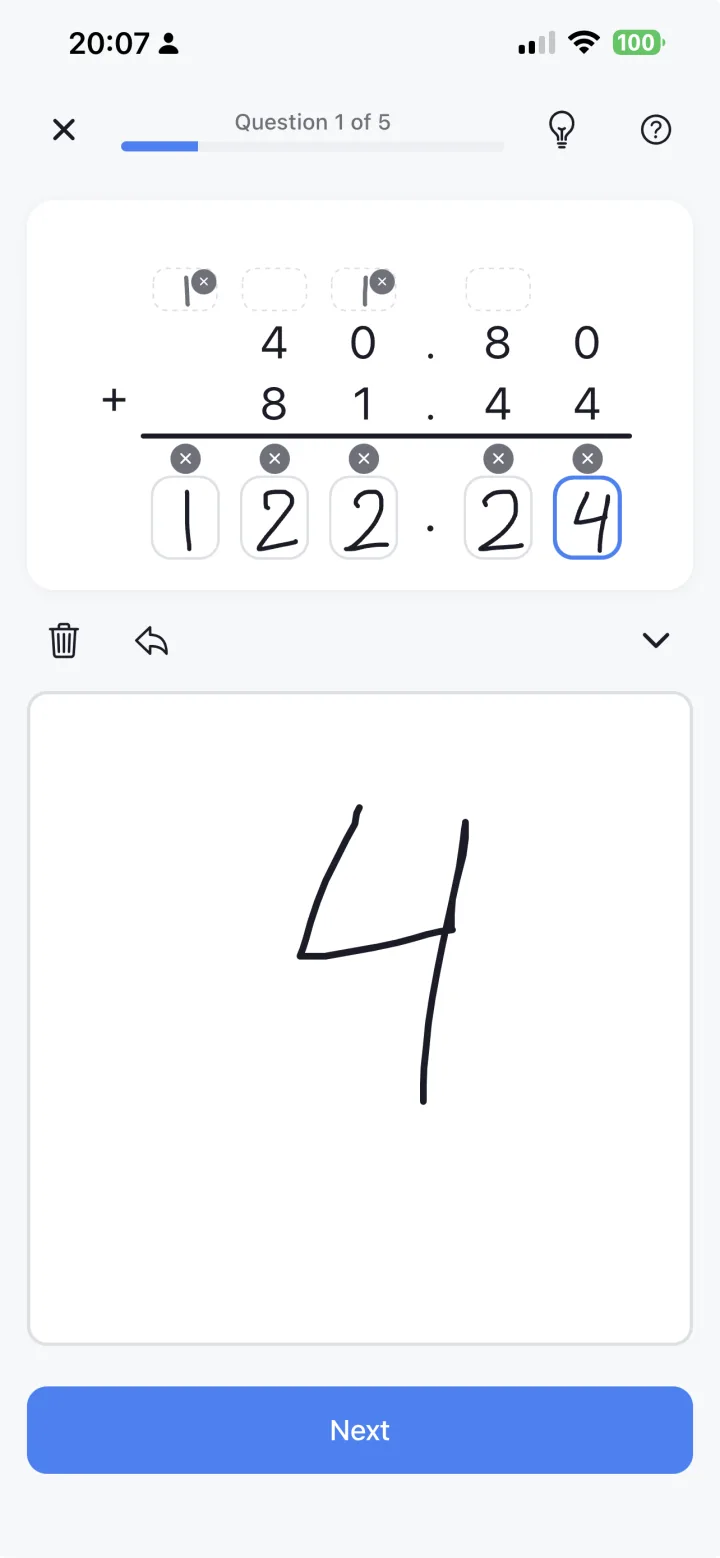
Children write each digit directly on the screen with a finger or stylus — with a free scratch area for carrying and borrowing — instead of tapping a multiple-choice answer.
Column addition and subtraction with carrying and borrowing, multi-step multiplication, and full long division — the actual method, not just the final answer.
A "watch how to solve" demo shows each step, and gentle hints reveal only the next step — never the whole answer — so children learn how, not just what.
The problem MathPen addresses
Many education apps reduce math to multiple choice wrapped in points, streaks, and unlockable characters. Kids can get good at guessing and tapping — without ever practising the method that actually builds understanding.
MathPen brings back pencil-and-paper practice: children write each answer by hand, show their working, and get instant feedback — in a calm, ad-free space that stays out of the way of the actual learning.
Main learning areas
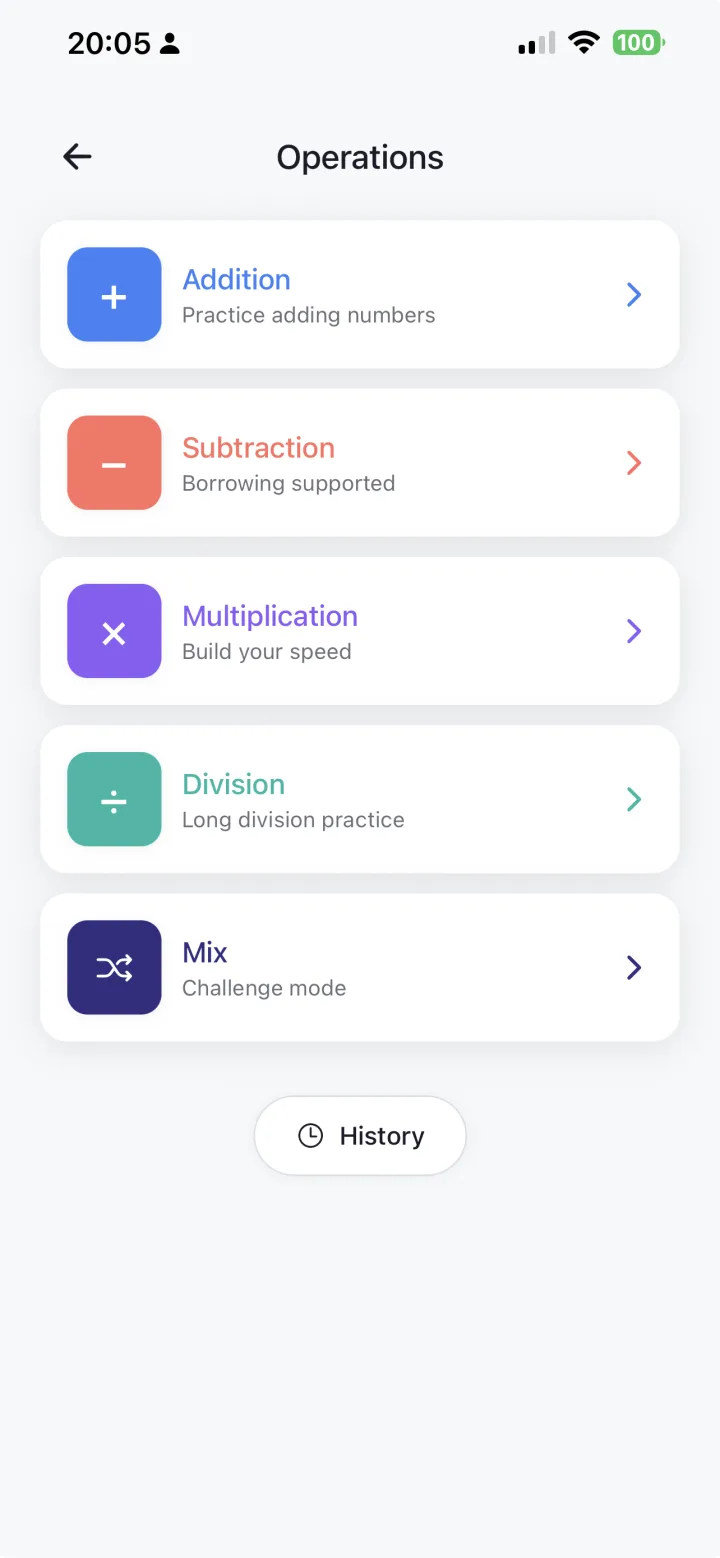
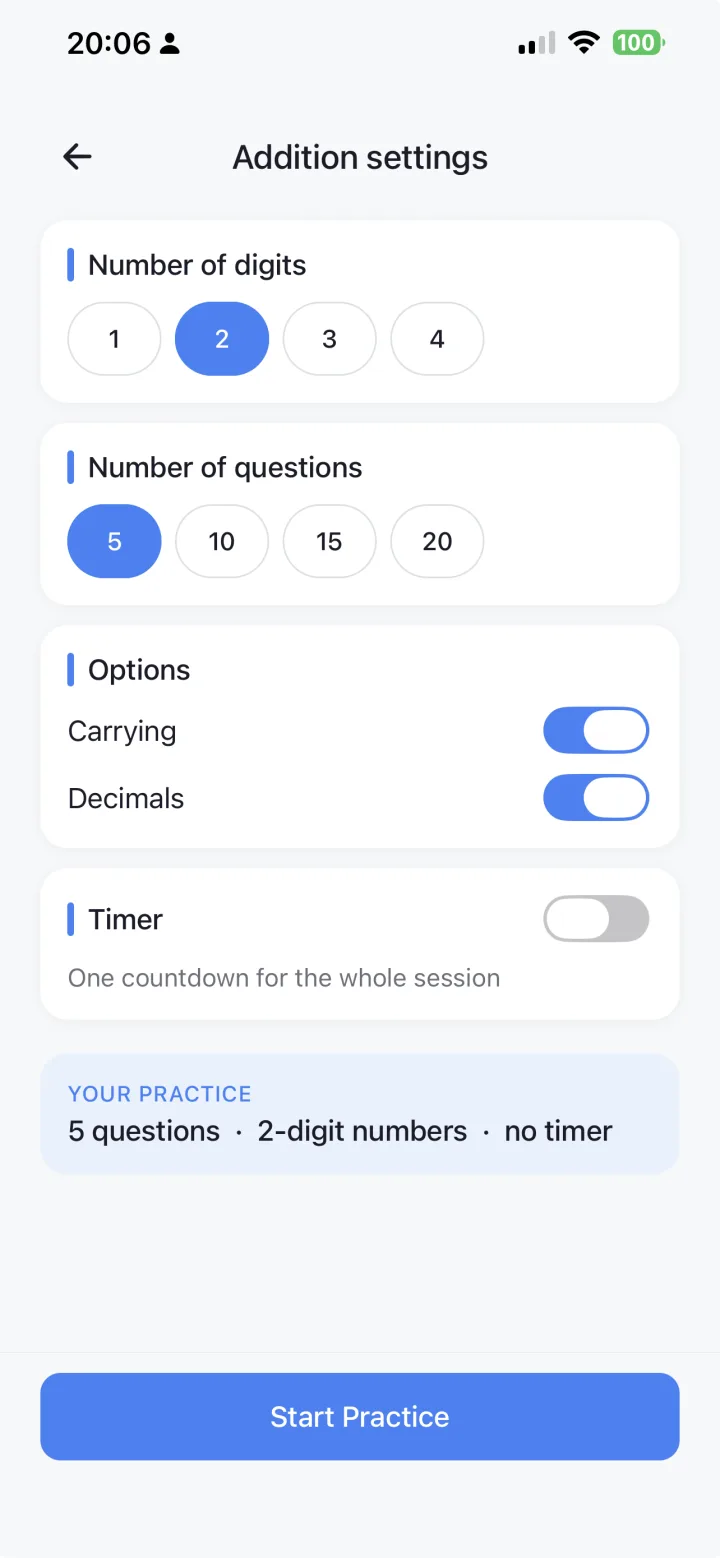
MathPen focuses on the core arithmetic operations — each with adjustable difficulty (digit range, number of questions, and optional timer) — plus mixed practice. More learning areas are on the way.
Column addition with carrying, from single digits up to larger numbers. Free to play, with full features.
Column subtraction with borrowing, including practice with regrouping across multiple digits.
Multi-step multiplication with regrouping, scaling up as a child's ability grows.
Full long division on the bracket staircase, with support for remainders as levels increase.
Combine all four operations in one session for varied, mixed practice.
Clock, shapes, coordinates, patterns, and money are in development and will appear as new practice areas.
How practice sessions work
Every MathPen session follows the same predictable structure, so children know what to expect each time they open the app.
Pick an operation, then set the digit range, number of questions, and an optional timer to match the child's level.
Solve each problem in the answer boxes, using the scratch space to carry, borrow, or work through long division.
Each answer is checked as it's written, so a wrong answer can be spotted and corrected right away.
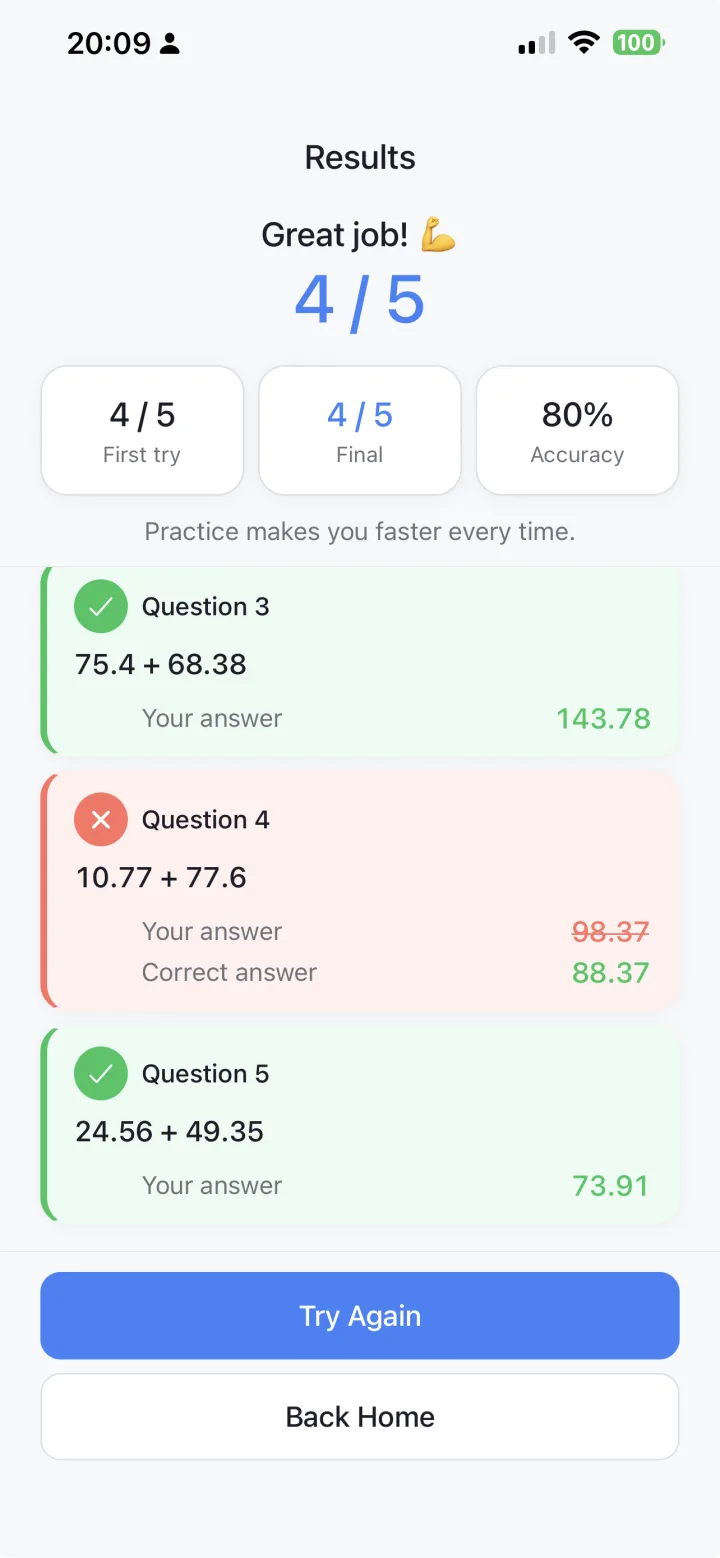
At the end, see first-try and final scores, then tap any question to reopen it — with the original working preserved — and fix it.
Completed sessions are saved on the device, so it's easy to look back on how practice is going.
For parents and tutors
MathPen is calm, ad-free, and free of the game mechanics that turn practice into play. Children work through problems using real methods, and completed sessions are saved so you can see how practice is going.
Screenshot gallery
A preview of the operations menu, a practice session, session results, and the settings that tune each session.
Get MathPen
MathPen is available now on the App Store and Google Play. Download it and start practising by hand.
Questions about MathPen?
Reach out with questions about MathPen, and we'll get back to you.